Do not lose the value of your stand conversations
Turn a short note after a visitor conversation into a clear lead card and next step in Claude.
Free Claude Skill for exhibitors · No code · No CRM connection · Human review required
ZIP file · English pilot · Installs in Claude Skills
You collected the contact. Will you remember the conversation?
At an exhibition, your team may speak with dozens of visitors. A badge scan or business card can tell you who visited your stand. But it does not preserve:
- what the visitor was interested in;
- what they asked for;
- what your team promised;
- how urgent the opportunity may be;
- what should happen next.
Expo Memory Box is designed for the moment immediately after the conversation, while the context is still fresh.
What you get
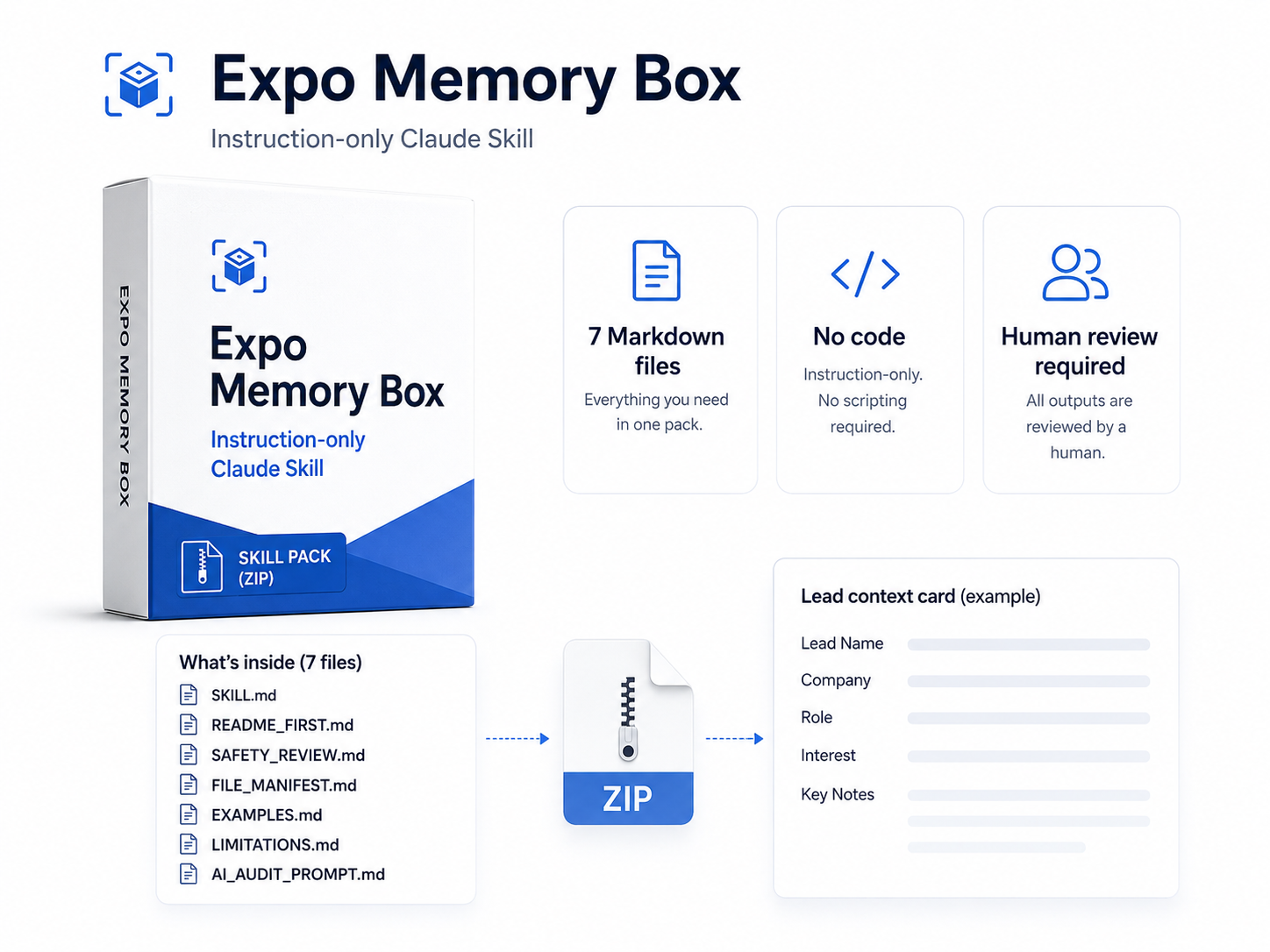
A ready-to-install Claude Skill Pack for exhibition follow-up.
✓ Downloadable ZIP package
✓ 7 readable Markdown instruction files
✓ Lead context card template
✓ Safety review checklist
✓ AI audit prompt before installation
✓ Tested on 20 artificial exhibition scenarios
No code. No scripts. No API connections.
How it works
1. Download and install
Download the ZIP file and upload it to Claude Skills.
2. Dictate or type a short note after a conversation
Use your phone to dictate a 30-second note, or type a few lines. Capture what the visitor asked about, what was discussed and what should happen next.
3. Build a usable exhibition memory
Claude turns each note into a lead context card. Later, your team can review the chat history, compare conversations, prepare follow-up actions and turn the collected context into sales notes, content ideas or a simple post-event plan.
Free Pilot · No sign-up required · ZIP download
Check it before you install it
✓ No executable code
✓ No scripts
✓ No API or webhook connections
✓ No automatic messages or CRM actions
✓ Includes a safety checklist and AI audit prompt
Claude creates drafts and structured notes. Your team reviews every result before use.
Install in Claude in a few steps
1. Download the ZIP file
Save the Expo Memory Box Skill Pack to your device.
2. Optional: inspect the files
Make a copy of the ZIP, unzip the copy and open the .md files in any text editor.
3. Open Claude Skills
In Claude, go to Customize → Skills and choose to upload a skill.
4. Upload the original ZIP
Upload the untouched ZIP file and enable the Skill.
5. Start a new chat
After a stand conversation, type a short note and let Claude create a structured lead card.
Free Pilot · No sign-up required · ZIP download
Tested on 20 artificial exhibition scenarios
The Skill was tested on fictional stand conversations, including potential buyers, partners, students, incomplete enquiries and cases containing irrelevant personal information.
The goal was to check that it produces a useful lead context card, keeps follow-up under human review and avoids unnecessary personal data.
Pilot tool. Human review required. Not legal advice.
Need a Skill built for your company workflow?
Expo Memory Box is a free pilot for exhibition follow-up. I also create transparent, instruction-only Claude Skills for specific business tasks: readable files, clear boundaries and human-reviewed output.

Yurii Fedulov
Expo Memory Box · Free English Pilot for Exhibitors
Instruction-only Claude Skill Pack · No code · Human review required